Completion Status
The completion status checklist tracks how complete a threat model is across 8 key areas. It appears on the Overview tab of every threat model and updates automatically as you build out your model.
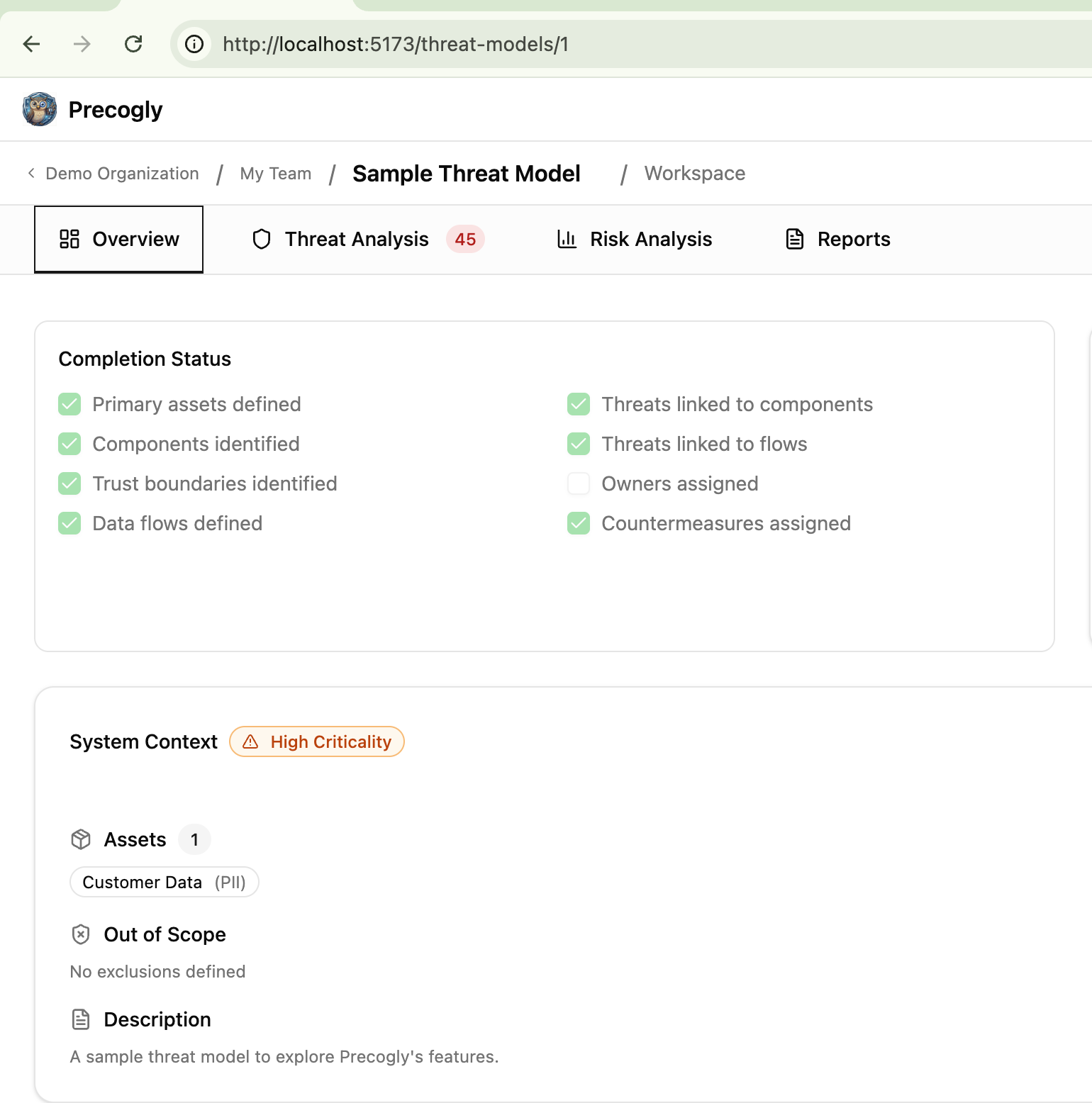
Checklist items
All 8 items are auto-computed from actual data. There are no manual overrides.
| Item | Checked when |
|---|---|
| Primary assets defined | At least one data asset exists |
| Components identified | Any process or datastore node exists in a DFD |
| Trust boundaries identified | Any trust zone exists in a DFD |
| Data flows defined | Any edges exist in a DFD |
| Threats linked to components | At least one non-dismissed threat is linked to a component |
| Threats linked to flows | At least one non-dismissed threat is linked to a data flow |
| Owners assigned | Any countermeasure has an assigned owner |
| Countermeasures assigned | Any countermeasure exists for in-scope components or flows |
How it works
The backend computes the checklist fresh on every request. Nothing is stored or cached. The checkboxes in the UI are read-only and reflect the current state of the threat model data.
Dismissed threats do not count toward the "Threats linked" items. Only active, non-dismissed threats satisfy those checks.
The checklist is a model-completeness signal, not a risk-acceptance or compliance signal. For example, "Countermeasures assigned" means that at least one countermeasure exists for in-scope components or flows. It does not mean every countermeasure is implemented, verified, or sufficient to satisfy a compliance requirement.
Countermeasure status, threat mitigation status, residual risk, and compliance satisfaction are related but separate concepts. A countermeasure status describes implementation progress for a control. Threat mitigation status summarizes whether linked controls appear to address a threat. Residual risk estimates the remaining risk after considering available controls. Compliance satisfaction depends on mapped requirements and the statuses counted as satisfying evidence in reports.
When interpreting a report, compare these signals together instead of treating any single checkbox as final evidence. A threat model can be structurally complete while still containing open risks, planned controls, unverified controls, or compliance gaps. Completion status answers "has this part of the model been filled in?" rather than "is this system fully mitigated?"
Where it appears
The checklist surfaces on the Overview tab, in magic link shared views, and in exported reports.