Threat Analysis
The threat analysis view is the three-panel workspace where you review components, assess threats, and track countermeasures. Each panel answers one question: what are we working on?, what can go wrong?, and what can we do about it?
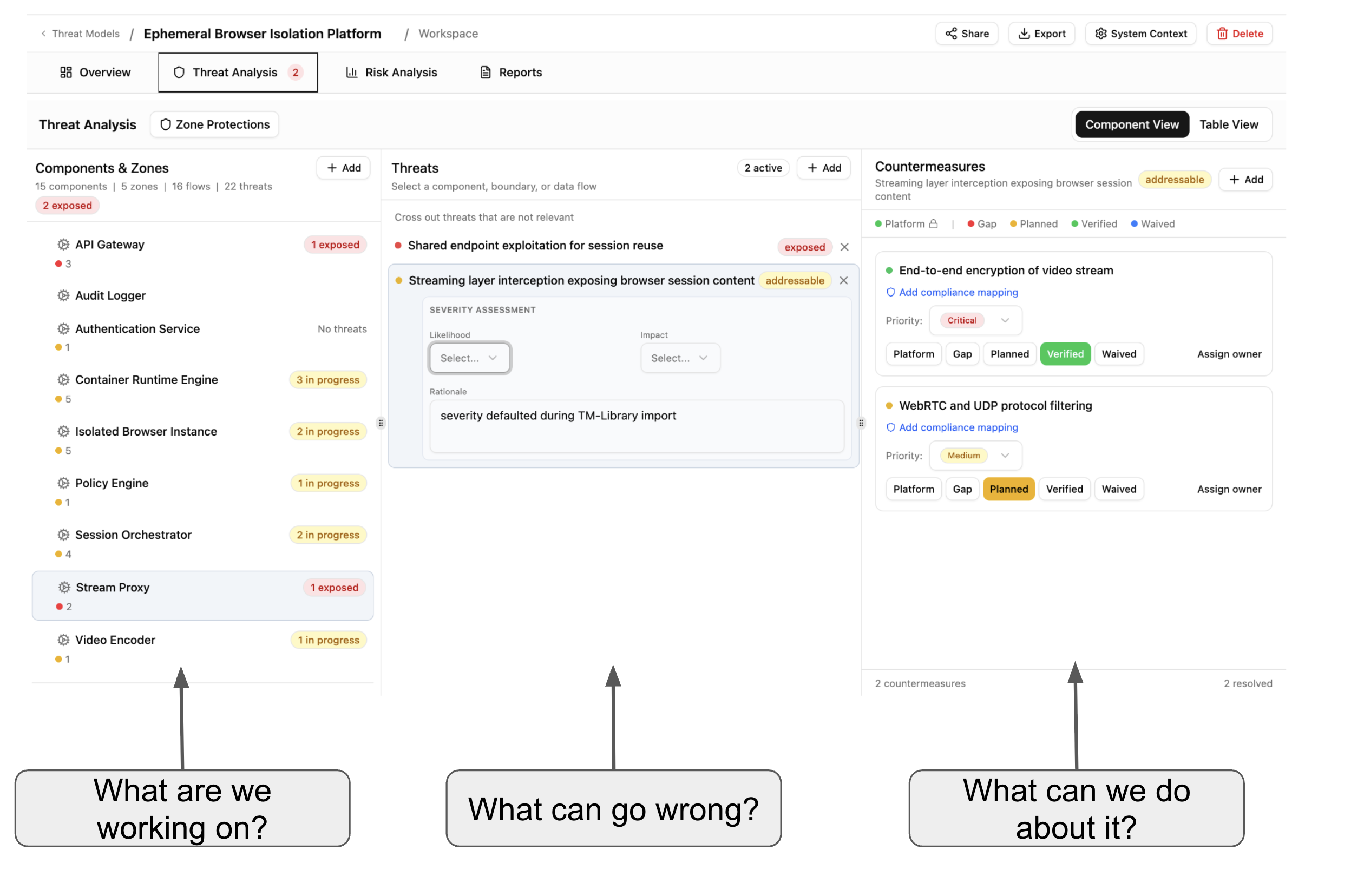
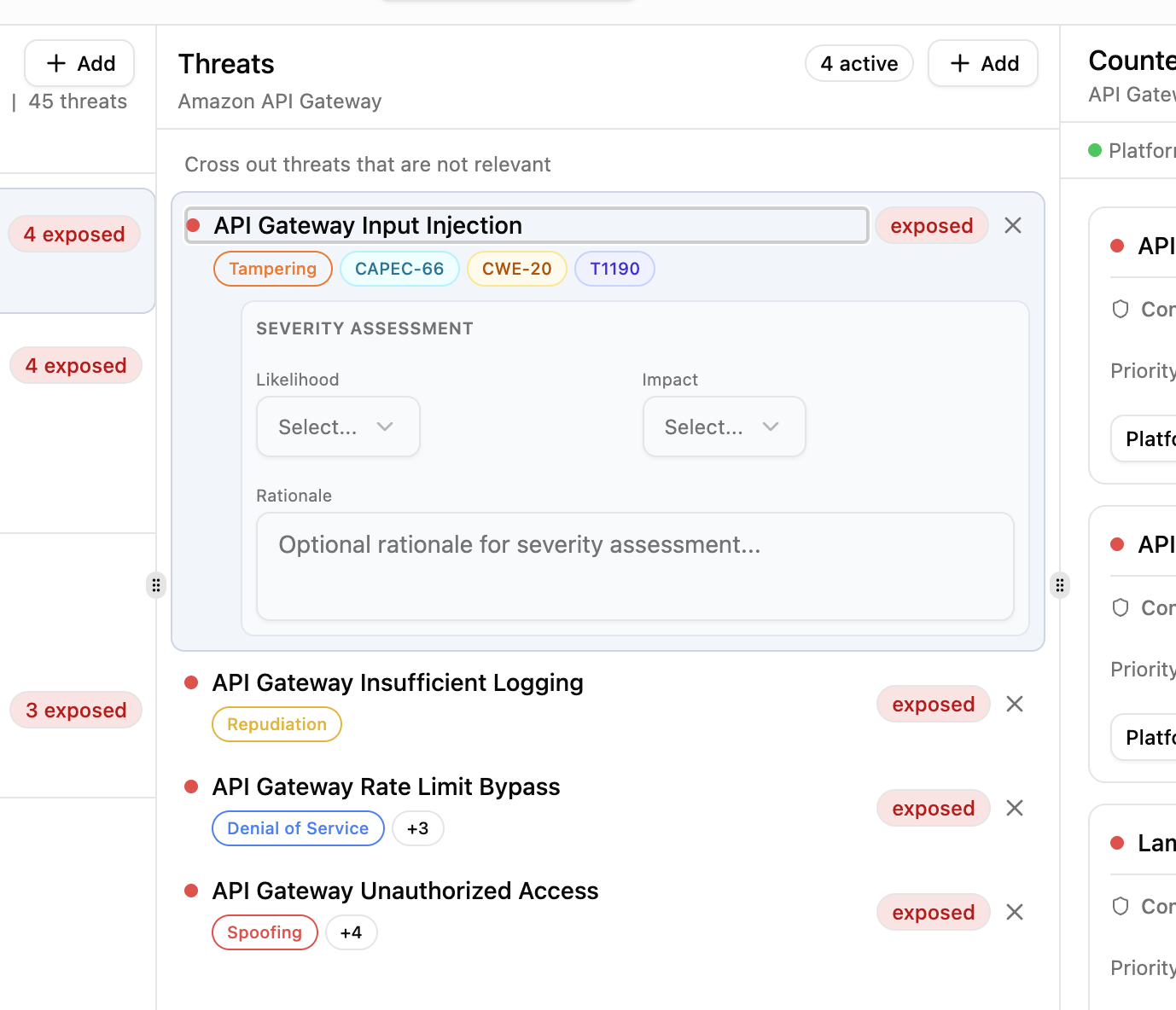
Select a component in the left panel to see its threats. Select a threat to see its countermeasures. Each threat shows a severity assessment (likelihood, impact, rationale) and a status badge — exposed, addressable, or mitigated. There is also a section where you can assign an attacker persona to the threat.
Threats carry taxonomy tags from your imported library packs — STRIDE categories, CAPEC attack patterns, CWE weaknesses, and MITRE ATT&CK techniques — so you can trace each threat back to established frameworks.
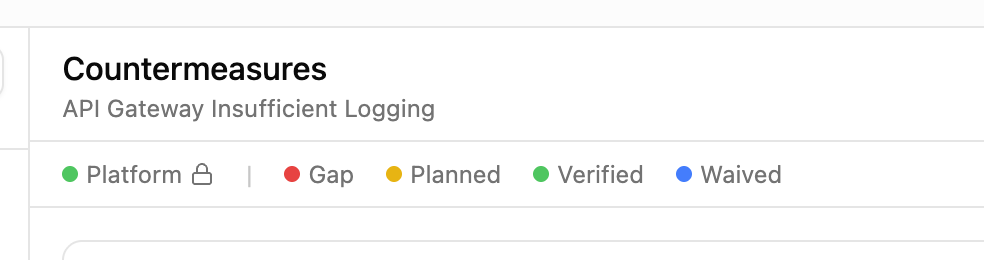
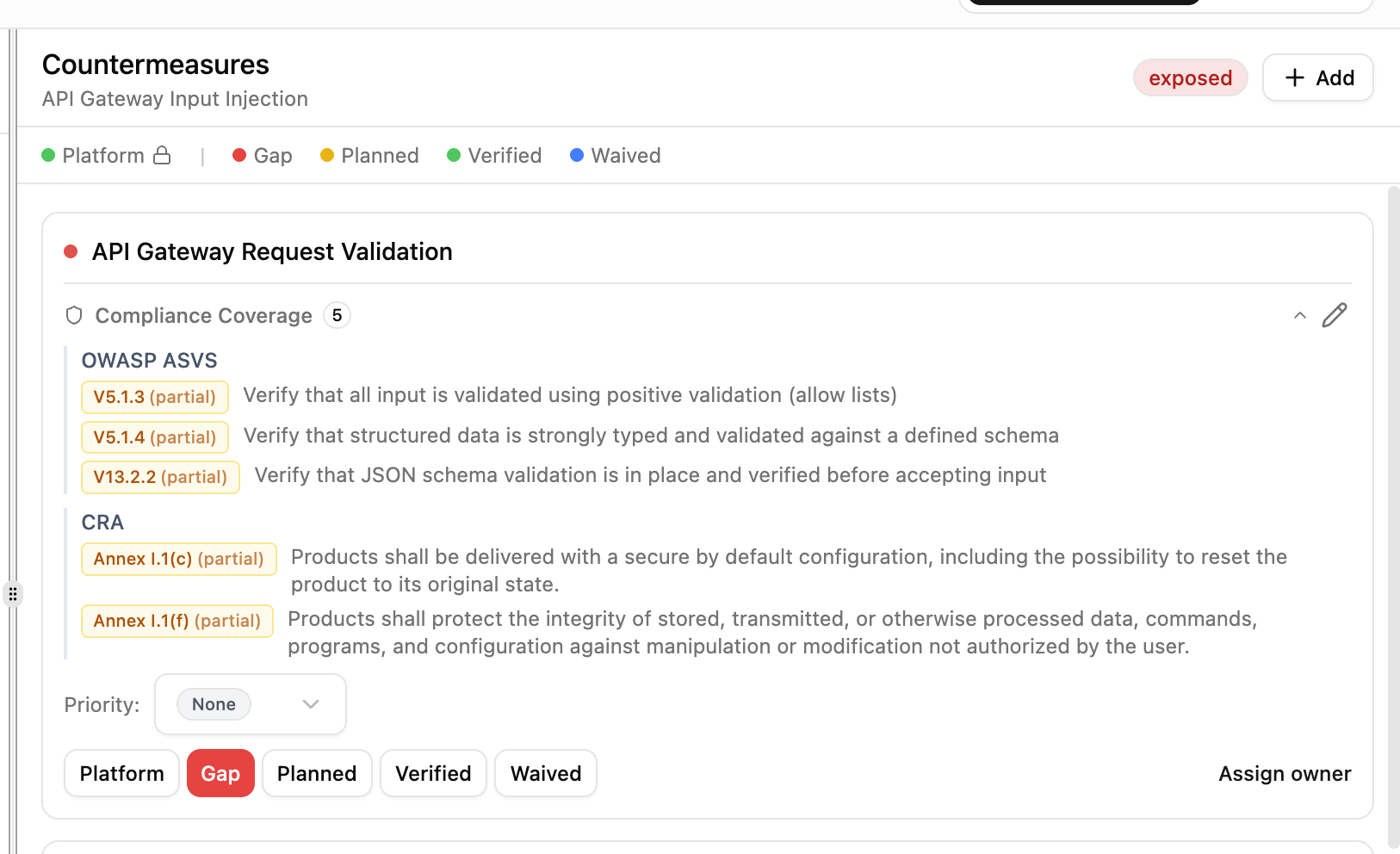
Each countermeasure moves through a lifecycle: Gap (not yet addressed), Planned (assigned to an owner), In Progress (implementation underway), Implemented (deployed, not yet verified), Verified (confirmed by security team), Platform (provided by infrastructure), Waived (accepted risk), or Decommissioned (no longer active).
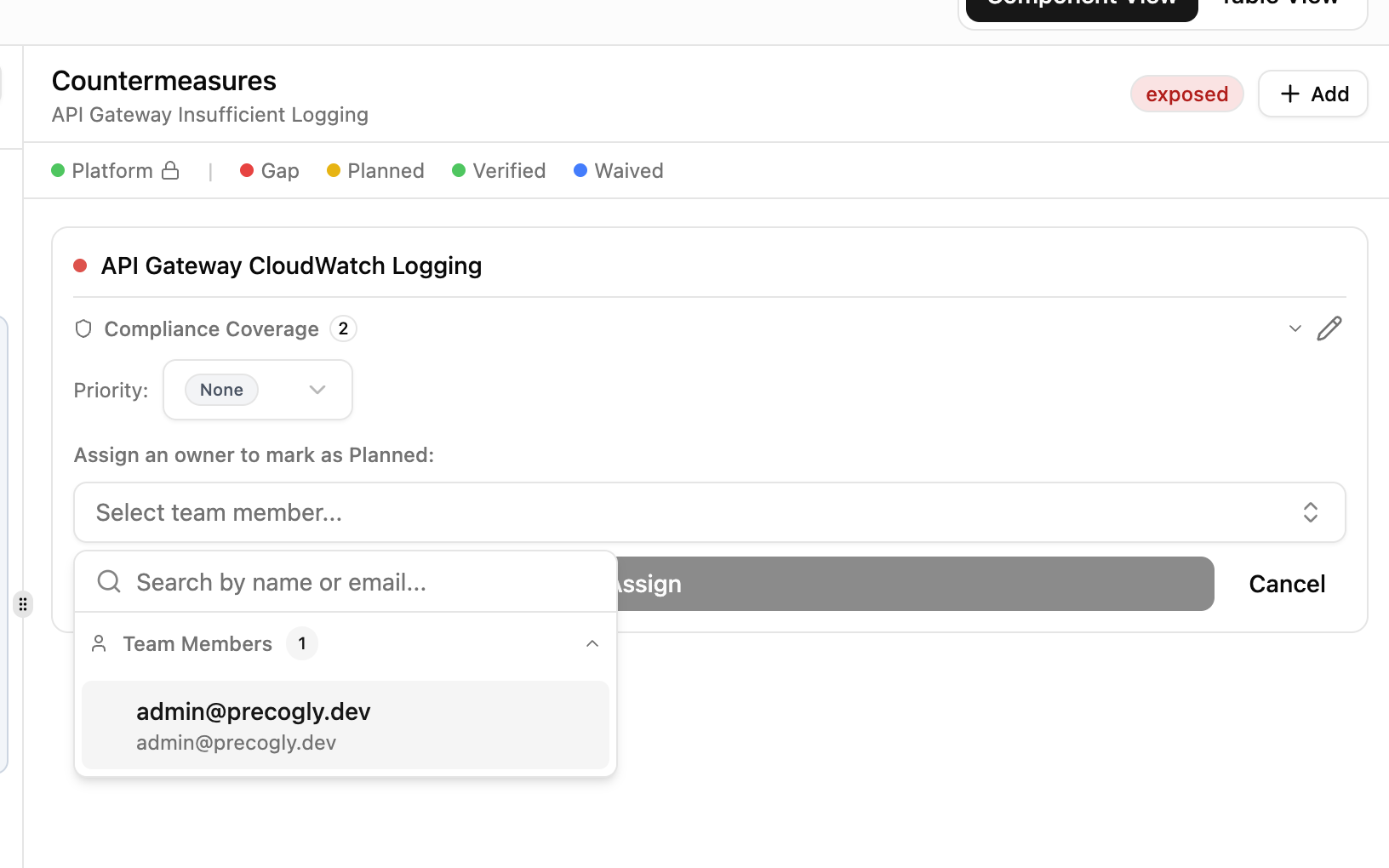
Assign a team member as owner to move a countermeasure from Gap to Planned. Set priority and track progress across your team.
Countermeasures can be mapped to compliance framework requirements. Expand the compliance coverage section to see which standards a countermeasure satisfies and whether coverage is full or partial.
Threat triage
Each threat carries a triage status that records the team's risk treatment decision:
| Status | Meaning | Effect |
|---|---|---|
| Open | Not yet reviewed | Active. Counted in the STRIDE summary and threat counts. |
| Mitigate | Will be addressed with countermeasures | Active. Counted in the STRIDE summary and threat counts. |
| Accept | Risk is tolerable as-is | Triaged out. Excluded from active analysis. |
| Delegate | Risk ownership transferred to another party | Triaged out. Excluded from active analysis. |
| Eliminate | Threat source removed from the design | Triaged out. Excluded from active analysis. |
Open and Mitigate are active statuses: threats with these statuses appear in the STRIDE summary, contribute to risk scores, and show in the main threat analysis view.
Accept, Delegate, and Eliminate are triaged-out statuses. When you triage a threat, you must provide a decision rationale explaining why. Triaged threats move to the Triaged Threats section of reports and are excluded from active threat counts, but remain visible for audit purposes.